

CHAPTER 4 ■ COMPLEX FLOWS: NODE-RED
68
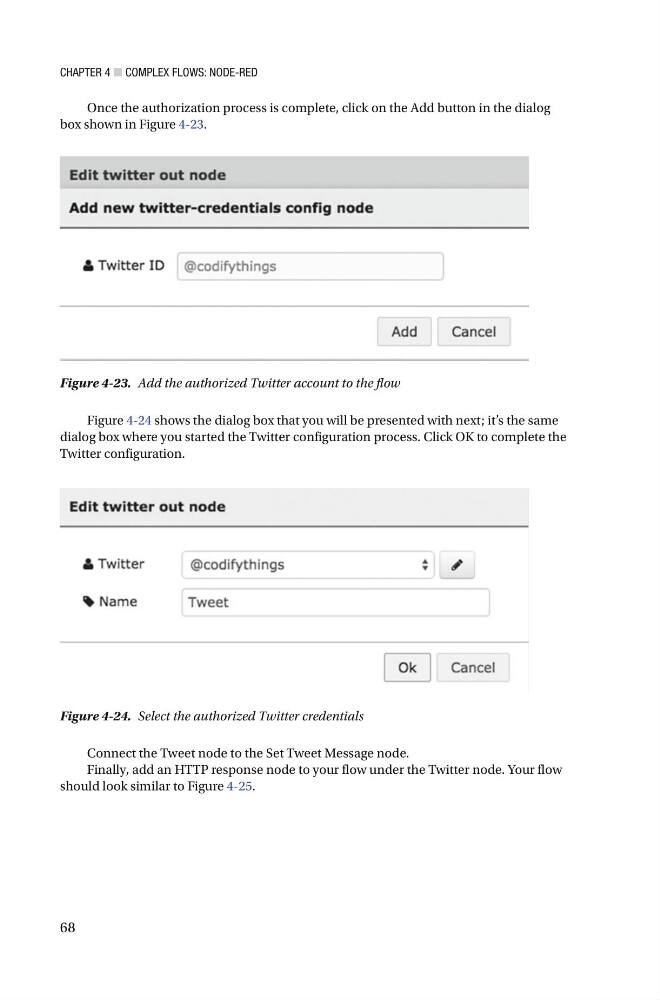
Once the authorization process is complete, click on the Add button in the dialog
box shown in Figure 4-23 .
Figure 4-23. Add the authorized Twitter account to the flow
Figure 4-24. Select the authorized Twitter credentials
Figure 4-24 shows the dialog box that you will be presented with next; it’s the same
dialog box where you started the Twitter configuration process. Click OK to complete the
Twitter configuration.
Connect the Tweet node to the Set Tweet Message node .
Finally, add an HTTP response node to your flow under the Twitter node. Your flow
should look similar to Figure 4-25 .
68
Once the authorization process is complete, click on the Add button in the dialog
box shown in Figure 4-23 .
Figure 4-23. Add the authorized Twitter account to the flow
Figure 4-24. Select the authorized Twitter credentials
Figure 4-24 shows the dialog box that you will be presented with next; it’s the same
dialog box where you started the Twitter configuration process. Click OK to complete the
Twitter configuration.
Connect the Tweet node to the Set Tweet Message node .
Finally, add an HTTP response node to your flow under the Twitter node. Your flow
should look similar to Figure 4-25 .