

CHAPTER 3 ■ COMMUNICATION PROTOCOLS
44
The sensor will act as a publisher and publish a new message to the codifythings/
intrusionDetected topic on the MQTT broker as soon as an intrusion is detected. The
MQTT broker will add this message to the topic. The mobile app will be a subscriber of
the codifythings/intrusionDetected topic. Whenever a new message is published to the
topic, it will get notified. This will result in the mobile app creating a notification for the app
user. You will build this system in Chapter 6 .
Remote Lighting Control
Another great usage of MQTT is developing mobile apps that act as remote controls for
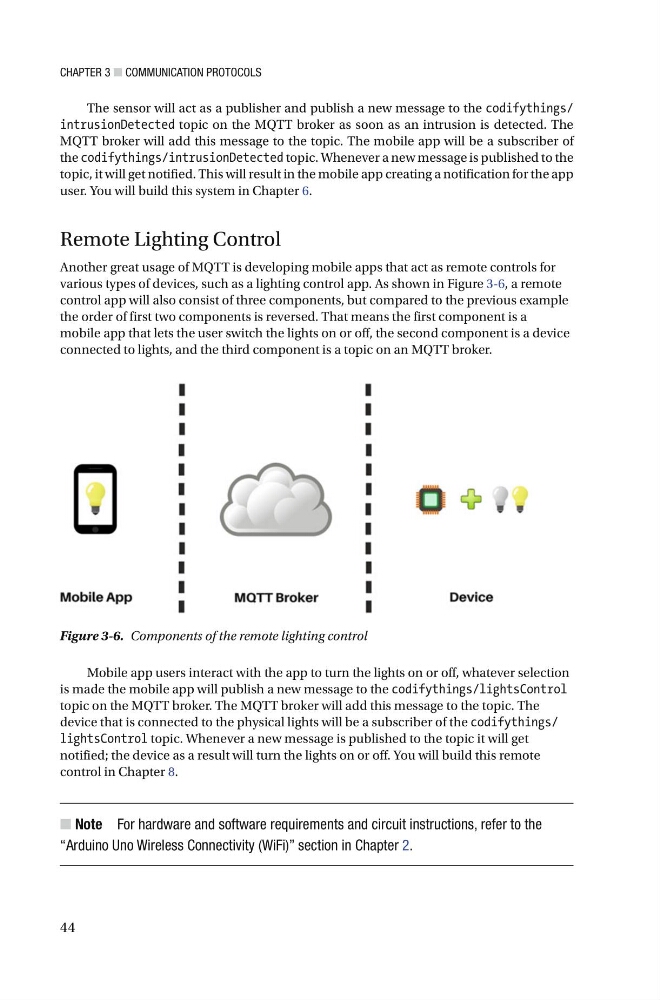
various types of devices, such as a lighting control app. As shown in Figure 3-6 , a remote
control app will also consist of three components, but compared to the previous example
the order of first two components is reversed. That means the first component is a
mobile app that lets the user switch the lights on or off, the second component is a device
connected to lights, and the third component is a topic on an MQTT broker.
Figure 3-6. Components of the remote lighting control
Mobile app users interact with the app to turn the lights on or off, whatever selection
is made the mobile app will publish a new message to the codifythings/lightsControl
topic on the MQTT broker. The MQTT broker will add this message to the topic. The
device that is connected to the physical lights will be a subscriber of the codifythings/
lightsControl topic. Whenever a new message is published to the topic it will get
notified; the device as a result will turn the lights on or off. You will build this remote
control in Chapter 8 .
■ Note For hardware and software requirements and circuit instructions, refer to the
“Arduino Uno Wireless Connectivity (WiFi)” section in Chapter 2 .
44
The sensor will act as a publisher and publish a new message to the codifythings/
intrusionDetected topic on the MQTT broker as soon as an intrusion is detected. The
MQTT broker will add this message to the topic. The mobile app will be a subscriber of
the codifythings/intrusionDetected topic. Whenever a new message is published to the
topic, it will get notified. This will result in the mobile app creating a notification for the app
user. You will build this system in Chapter 6 .
Remote Lighting Control
Another great usage of MQTT is developing mobile apps that act as remote controls for
various types of devices, such as a lighting control app. As shown in Figure 3-6 , a remote
control app will also consist of three components, but compared to the previous example
the order of first two components is reversed. That means the first component is a
mobile app that lets the user switch the lights on or off, the second component is a device
connected to lights, and the third component is a topic on an MQTT broker.
Figure 3-6. Components of the remote lighting control
Mobile app users interact with the app to turn the lights on or off, whatever selection
is made the mobile app will publish a new message to the codifythings/lightsControl
topic on the MQTT broker. The MQTT broker will add this message to the topic. The
device that is connected to the physical lights will be a subscriber of the codifythings/
lightsControl topic. Whenever a new message is published to the topic it will get
notified; the device as a result will turn the lights on or off. You will build this remote
control in Chapter 8 .
■ Note For hardware and software requirements and circuit instructions, refer to the
“Arduino Uno Wireless Connectivity (WiFi)” section in Chapter 2 .