

CHAPTER 2 ■ INTERNET CONNECTIVITY
20
Listing 2-5. Code for Standard Arduino Functions
void setup()
{
// Initialize serial port
Serial.begin(9600);
// Connect Arduino to internet
connectToInternet();
}
void loop()
{
// Do nothing
}
Your Arduino code is complete.
Final Product
To test the application, verify and upload the code to Arduino as discussed in Chapter 1 .
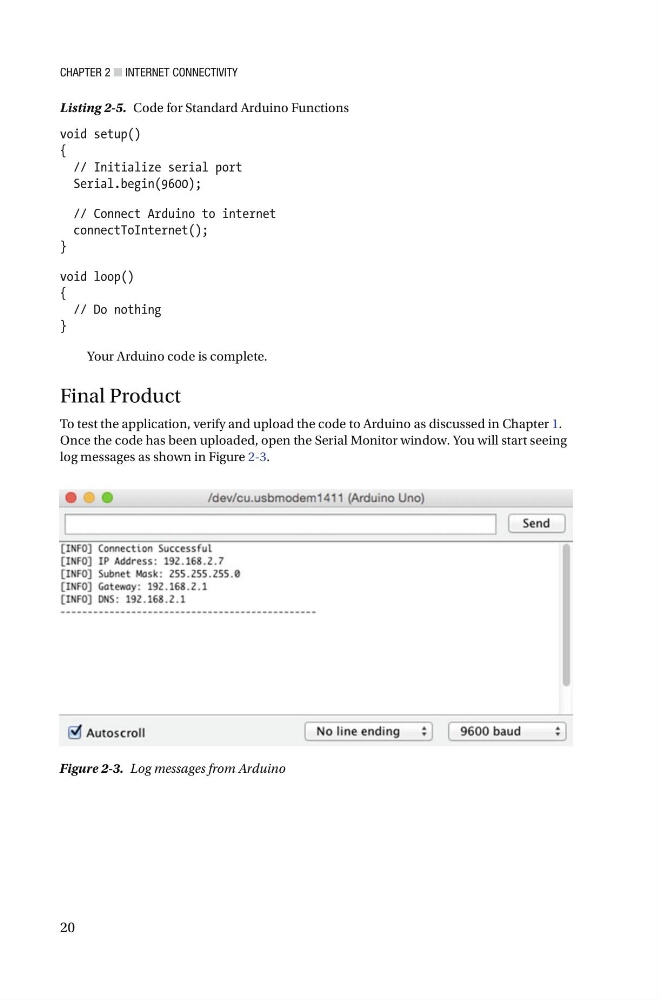
Once the code has been uploaded, open the Serial Monitor window. You will start seeing
log messages as shown in Figure 2-3 .
Figure 2-3. Log messages from Arduino
20
Listing 2-5. Code for Standard Arduino Functions
void setup()
{
// Initialize serial port
Serial.begin(9600);
// Connect Arduino to internet
connectToInternet();
}
void loop()
{
// Do nothing
}
Your Arduino code is complete.
Final Product
To test the application, verify and upload the code to Arduino as discussed in Chapter 1 .
Once the code has been uploaded, open the Serial Monitor window. You will start seeing
log messages as shown in Figure 2-3 .
Figure 2-3. Log messages from Arduino