

CHAPTER 7 ■ IOT PATTERNS: ON-DEMAND CLIENTS
158
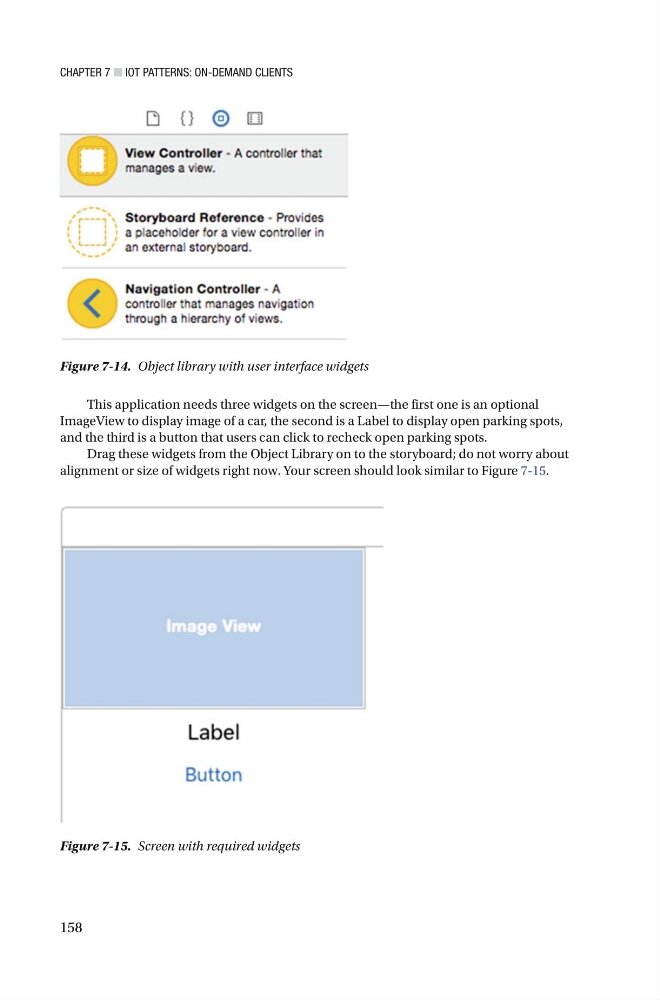
Figure 7-14. Object library with user interface widgets
This application needs three widgets on the screen—the first one is an optional
ImageView to display image of a car, the second is a Label to display open parking spots,
and the third is a button that users can click to recheck open parking spots.
Drag these widgets from the Object Library on to the storyboard; do not worry about
alignment or size of widgets right now. Your screen should look similar to Figure 7-15 .
Figure 7-15. Screen with required widgets
158
Figure 7-14. Object library with user interface widgets
This application needs three widgets on the screen—the first one is an optional
ImageView to display image of a car, the second is a Label to display open parking spots,
and the third is a button that users can click to recheck open parking spots.
Drag these widgets from the Object Library on to the storyboard; do not worry about
alignment or size of widgets right now. Your screen should look similar to Figure 7-15 .
Figure 7-15. Screen with required widgets