

CHAPTER 7 ■ IOT PATTERNS: ON-DEMAND CLIENTS
156
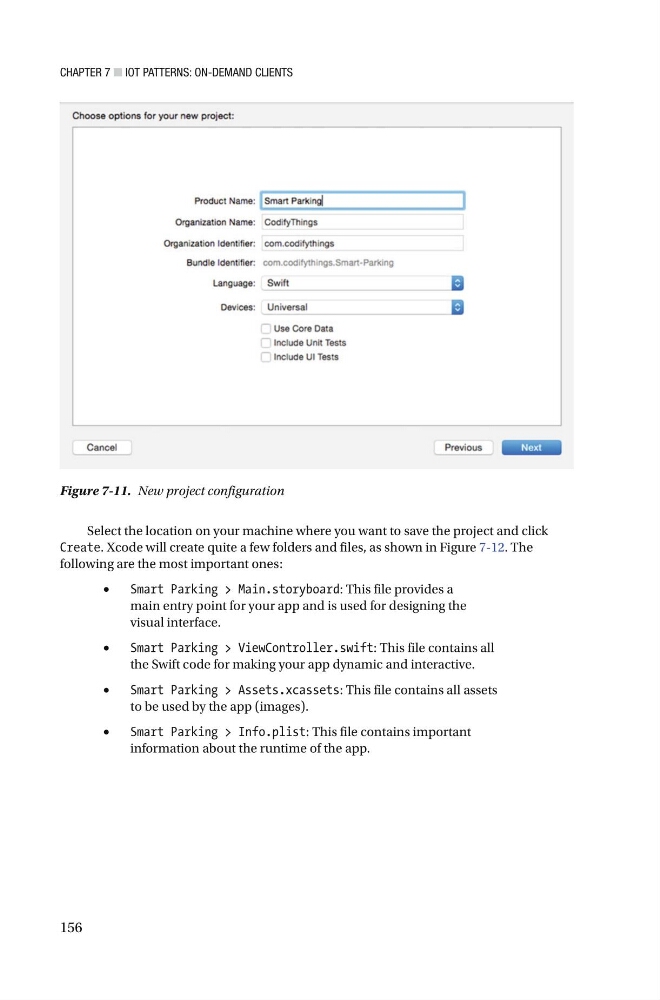
Figure 7-11. New project configuration
Select the location on your machine where you want to save the project and click
Cre a te . Xcode will create quite a few folders and files , as shown in Figure 7-12 . The
following are the most important ones:
•
Smart Parking > Main.storyboard : This file provides a
main entry point for your app and is used for designing the
visual interface.
•
Smart Parking > ViewController.swift : This file contains all
the Swift code for making your app dynamic and interactive.
•
Smart Parking > Assets.xcassets : This file contains all assets
to be used by the app (images).
•
Smart Parking > Info.plist : This file contains important
information about the runtime of the app.
156
Figure 7-11. New project configuration
Select the location on your machine where you want to save the project and click
Cre a te . Xcode will create quite a few folders and files , as shown in Figure 7-12 . The
following are the most important ones:
•
Smart Parking > Main.storyboard : This file provides a
main entry point for your app and is used for designing the
visual interface.
•
Smart Parking > ViewController.swift : This file contains all
the Swift code for making your app dynamic and interactive.
•
Smart Parking > Assets.xcassets : This file contains all assets
to be used by the app (images).
•
Smart Parking > Info.plist : This file contains important
information about the runtime of the app.