

CHAPTER 6 ■ IOT PATTERNS: REMOTE CONTROL
120
Click on Finish. Android Studio will create quite a few folders and files , as shown in
Figure 6-11 . These are the most important ones:
•
app > manifests > AndroidManifest.xml : A mandatory file
required by the system that contains application information such
as required permissions, screens and services, etc. Most of the
elements in this file are system-generated, but you can update it
manually as well.
•
app > java > *.* - package-hierarchy : This folder contains
all Java code and unit tests.
•
app > res > layout > *.xml : This folder contains layout XMLs
for all screens, including how each screen will look, fonts, colors,
position, etc. You can access any layout XML in Java using the
auto-generated Java class R , such as R.layout.activity_main . To
access an individual element in layout XML, you can use syntax
R.id.updated_field .
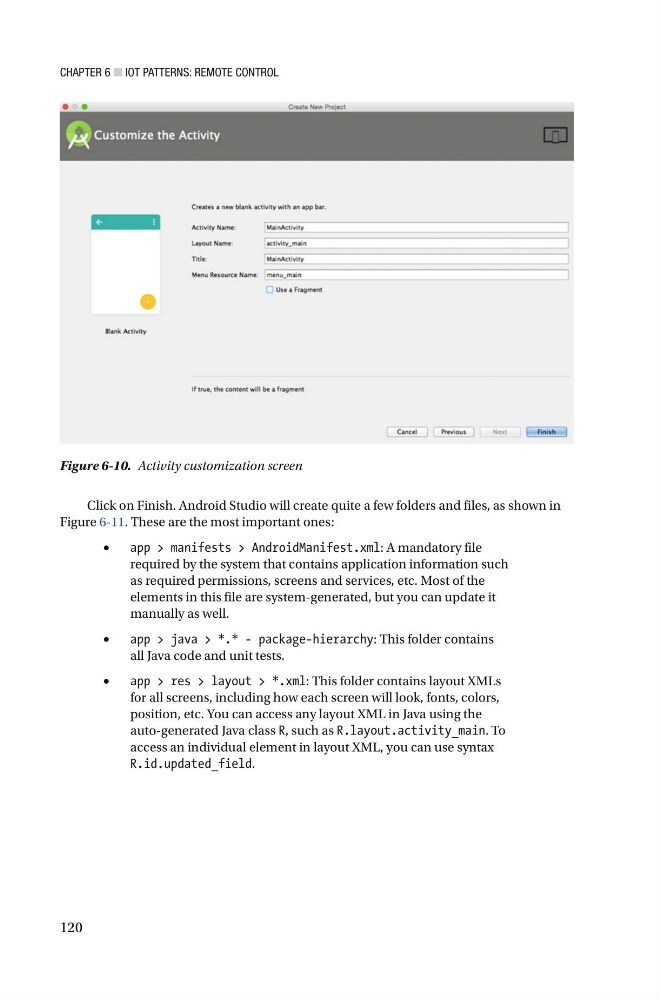
Figure 6-10. Activity customization screen
120
Click on Finish. Android Studio will create quite a few folders and files , as shown in
Figure 6-11 . These are the most important ones:
•
app > manifests > AndroidManifest.xml : A mandatory file
required by the system that contains application information such
as required permissions, screens and services, etc. Most of the
elements in this file are system-generated, but you can update it
manually as well.
•
app > java > *.* - package-hierarchy : This folder contains
all Java code and unit tests.
•
app > res > layout > *.xml : This folder contains layout XMLs
for all screens, including how each screen will look, fonts, colors,
position, etc. You can access any layout XML in Java using the
auto-generated Java class R , such as R.layout.activity_main . To
access an individual element in layout XML, you can use syntax
R.id.updated_field .
Figure 6-10. Activity customization screen