

CHAPTER 5 ■ IOT PATTERNS: REALTIME CLIENTS
106
In Android Studio, deploy and run the app on your Android device by choosing Run ➤
Run ‘App’ from the menu bar, as shown in Figure 5-24 .
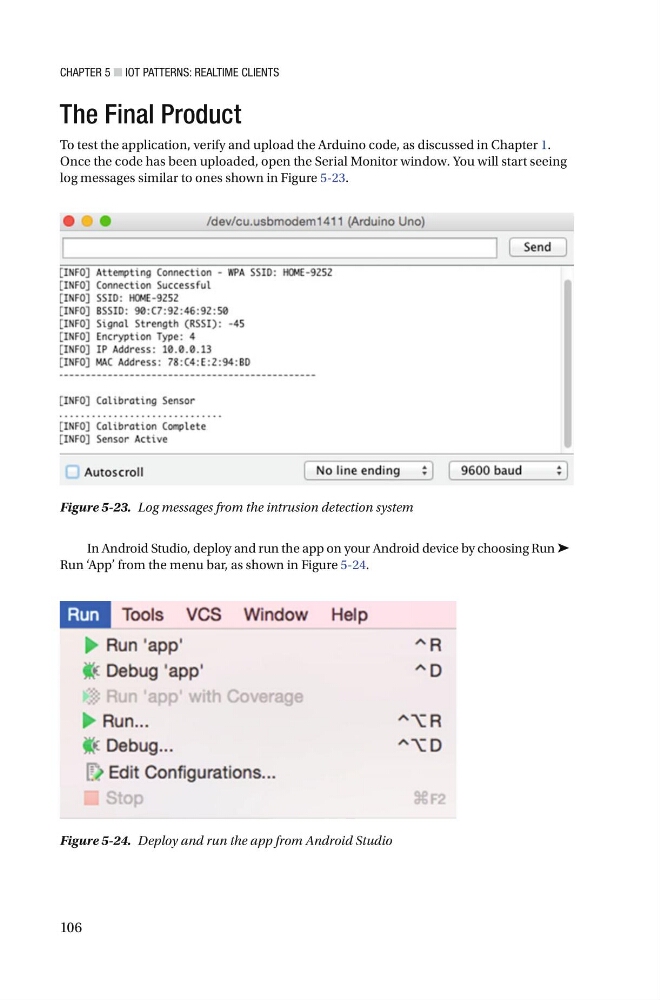
Figure 5-23. Log messages from the intrusion detection system
Figure 5-24. Deploy and run the app from Android Studio
The Final Product
To test the application, verify and upload the Arduino code, as discussed in Chapter 1 .
Once the code has been uploaded, open the Serial Monitor window . You will start seeing
log messages similar to ones shown in Figure 5-23 .
106
In Android Studio, deploy and run the app on your Android device by choosing Run ➤
Run ‘App’ from the menu bar, as shown in Figure 5-24 .
Figure 5-23. Log messages from the intrusion detection system
Figure 5-24. Deploy and run the app from Android Studio
The Final Product
To test the application, verify and upload the Arduino code, as discussed in Chapter 1 .
Once the code has been uploaded, open the Serial Monitor window . You will start seeing
log messages similar to ones shown in Figure 5-23 .