

318
Internet of Things (IoT)
can stack more pictures from their picture library or rapidly include photographs utilizing
Google, Bing, or Flickr. These pictures can be utilized to make plans, commencements,
decisions, and stories.
14.1.8.2 Visual Schedules and Task Managers
As Krull (2015) said that adapting visually is an extraordinary mode for some individuals, including various children and elders with ASD. For a few, utilizing visual timetables
and assignment administration frameworks can have all the effect. In spite of the fact that
not for everybody, utilizing the cell phones with applications permit us to rapidly include
photos, sounds, videos on the spot to help the child in need.
14.1.8.3 Choiceworks Scheduler
The main page of Choiceworks shown in Figure 14.24 is embeded with feature boards like
“Schedules,” “Waiting,” and “Feelings” which can be selected by a child or parent. One
can utilize pictures from the Choiceworks program or picture/photographs of their decision and consolidate these with customized sound recordings, which can be printed and
shared. The “Schedules Board” provides an assignment with clocks. At the point when a
part of the assignment on the left is finished, it can be dragged to a relating square on the
right, where it gets a green check mark. At the point when a clock goes off, a general message appears on the screen and the clock reads “Done.” The “Waiting Board” provides a
clock and two exercises to browse while the individual waits. The “Feelings Board” provides two adaptable techniques when one feels, and two exercises to do after the technique
has been finished. For instance, the specimen “disturbed” board says, “When I am vexed,
I can get help or enjoy a reprieve.”
14.1.8.4 Choiceworks Calendar
This application presents scheduling in a calendar design with pictures and sounds.
Schedule events can be smoothly revised and monitored in daily, weekly, or monthly intervals. The scheduled calendar shown in Figure 14.25 can be allowed to print and share. It
permits one to insert pictures into right place inside the scheduled section of the calendar.
It has a simple button to watch the upcoming activities.
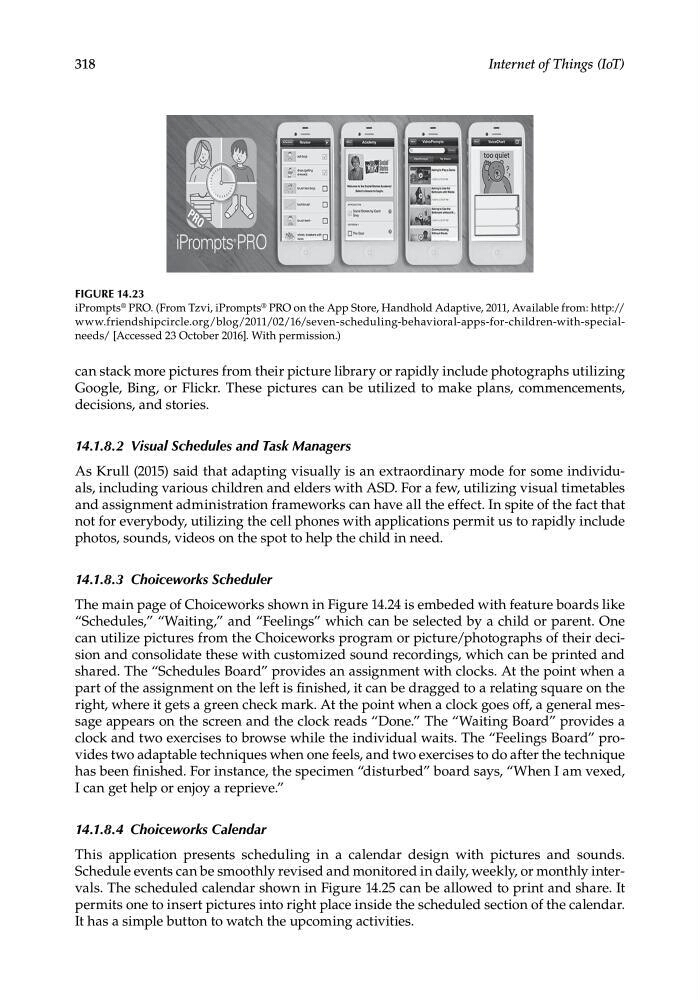
FIGURE 14.23
iPrompts ® PRO. (From Tzvi, iPrompts ® PRO on the App Store, Handhold Adaptive, 2011, Available from: http://
www.friendshipcircle.org/blog/2011/02/16/seven-scheduling-behavioral-apps-for-children-with-specialneeds/ [Accessed 23 October 2016]. With permission.)
Internet of Things (IoT)
can stack more pictures from their picture library or rapidly include photographs utilizing
Google, Bing, or Flickr. These pictures can be utilized to make plans, commencements,
decisions, and stories.
14.1.8.2 Visual Schedules and Task Managers
As Krull (2015) said that adapting visually is an extraordinary mode for some individuals, including various children and elders with ASD. For a few, utilizing visual timetables
and assignment administration frameworks can have all the effect. In spite of the fact that
not for everybody, utilizing the cell phones with applications permit us to rapidly include
photos, sounds, videos on the spot to help the child in need.
14.1.8.3 Choiceworks Scheduler
The main page of Choiceworks shown in Figure 14.24 is embeded with feature boards like
“Schedules,” “Waiting,” and “Feelings” which can be selected by a child or parent. One
can utilize pictures from the Choiceworks program or picture/photographs of their decision and consolidate these with customized sound recordings, which can be printed and
shared. The “Schedules Board” provides an assignment with clocks. At the point when a
part of the assignment on the left is finished, it can be dragged to a relating square on the
right, where it gets a green check mark. At the point when a clock goes off, a general message appears on the screen and the clock reads “Done.” The “Waiting Board” provides a
clock and two exercises to browse while the individual waits. The “Feelings Board” provides two adaptable techniques when one feels, and two exercises to do after the technique
has been finished. For instance, the specimen “disturbed” board says, “When I am vexed,
I can get help or enjoy a reprieve.”
14.1.8.4 Choiceworks Calendar
This application presents scheduling in a calendar design with pictures and sounds.
Schedule events can be smoothly revised and monitored in daily, weekly, or monthly intervals. The scheduled calendar shown in Figure 14.25 can be allowed to print and share. It
permits one to insert pictures into right place inside the scheduled section of the calendar.
It has a simple button to watch the upcoming activities.
FIGURE 14.23
iPrompts ® PRO. (From Tzvi, iPrompts ® PRO on the App Store, Handhold Adaptive, 2011, Available from: http://
www.friendshipcircle.org/blog/2011/02/16/seven-scheduling-behavioral-apps-for-children-with-specialneeds/ [Accessed 23 October 2016]. With permission.)