

Making Our List Be Fancy
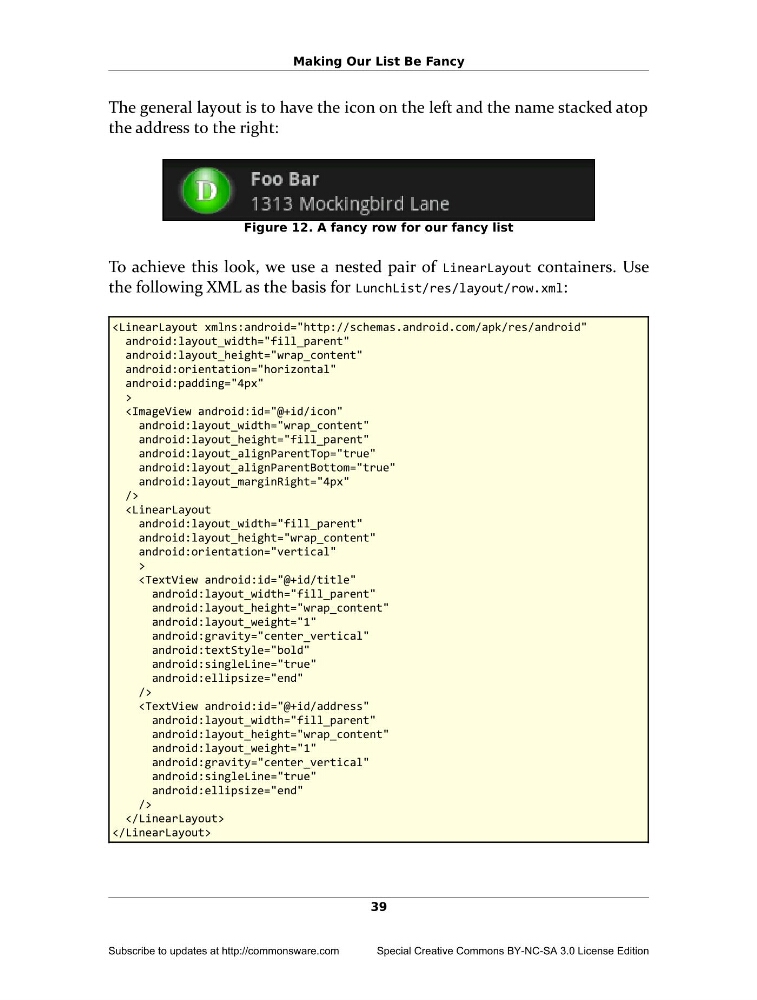
The general layout is to have the icon on the left and the name stacked atop
the address to the right:
Figure 12. A fancy row for our fancy list
To achieve this look, we use a nested pair of LinearLayout containers. Use
the following XML as the basis for LunchList/res/layout/row.xml:
android:layout_height="wrap_content"
android:orientation="horizontal"
android:padding="4px"
>
android:layout_height="fill_parent"
android:layout_alignParentTop="true"
android:layout_alignParentBottom="true"
android:layout_marginRight="4px"
/>
android:layout_height="wrap_content"
android:orientation="vertical"
>
android:layout_height="wrap_content"
android:layout_weight="1"
android:gravity="center_vertical"
android:textStyle="bold"
android:singleLine="true"
android:ellipsize="end"
/>
android:layout_height="wrap_content"
android:layout_weight="1"
android:gravity="center_vertical"
android:singleLine="true"
android:ellipsize="end"
/>
39
Subscribe to updates at http://commonsware.com
Special Creative Commons BY-NC-SA 3.0 License Edition
The general layout is to have the icon on the left and the name stacked atop
the address to the right:
Figure 12. A fancy row for our fancy list
To achieve this look, we use a nested pair of LinearLayout containers. Use
the following XML as the basis for LunchList/res/layout/row.xml:
android:layout_height="wrap_content"
android:orientation="horizontal"
android:padding="4px"
>
android:layout_height="fill_parent"
android:layout_alignParentTop="true"
android:layout_alignParentBottom="true"
android:layout_marginRight="4px"
/>
android:layout_height="wrap_content"
android:orientation="vertical"
>
android:layout_height="wrap_content"
android:layout_weight="1"
android:gravity="center_vertical"
android:textStyle="bold"
android:singleLine="true"
android:ellipsize="end"
/>
android:layout_height="wrap_content"
android:layout_weight="1"
android:gravity="center_vertical"
android:singleLine="true"
android:ellipsize="end"
/>
39
Subscribe to updates at http://commonsware.com
Special Creative Commons BY-NC-SA 3.0 License Edition