

Adding a List
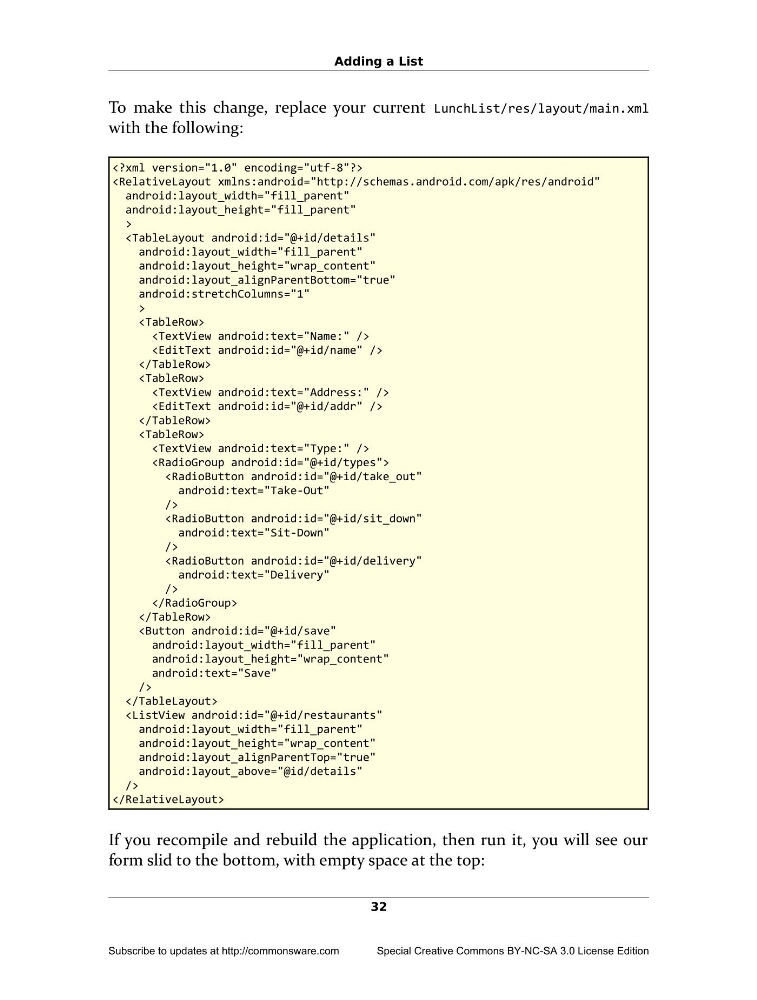
To make this change, replace your current LunchList/res/layout/main.xml
with the following:
android:layout_height="fill_parent"
>
android:layout_height="wrap_content"
android:layout_alignParentBottom="true"
android:stretchColumns="1"
>
/>
/>
/>
android:layout_width="fill_parent"
android:layout_height="wrap_content"
android:text="Save"
/>
android:layout_height="wrap_content"
android:layout_alignParentTop="true"
android:layout_above="@id/details"
/>
If you recompile and rebuild the application, then run it, you will see our
form slid to the bottom, with empty space at the top:
32
Subscribe to updates at http://commonsware.com
Special Creative Commons BY-NC-SA 3.0 License Edition
To make this change, replace your current LunchList/res/layout/main.xml
with the following:
android:layout_height="fill_parent"
>
android:layout_height="wrap_content"
android:layout_alignParentBottom="true"
android:stretchColumns="1"
>
/>
/>
/>
android:layout_width="fill_parent"
android:layout_height="wrap_content"
android:text="Save"
/>
android:layout_height="wrap_content"
android:layout_alignParentTop="true"
android:layout_above="@id/details"
/>
If you recompile and rebuild the application, then run it, you will see our
form slid to the bottom, with empty space at the top:
32
Subscribe to updates at http://commonsware.com
Special Creative Commons BY-NC-SA 3.0 License Edition