

A Restaurant In Your Own Home
Step #5: Update the Manifest
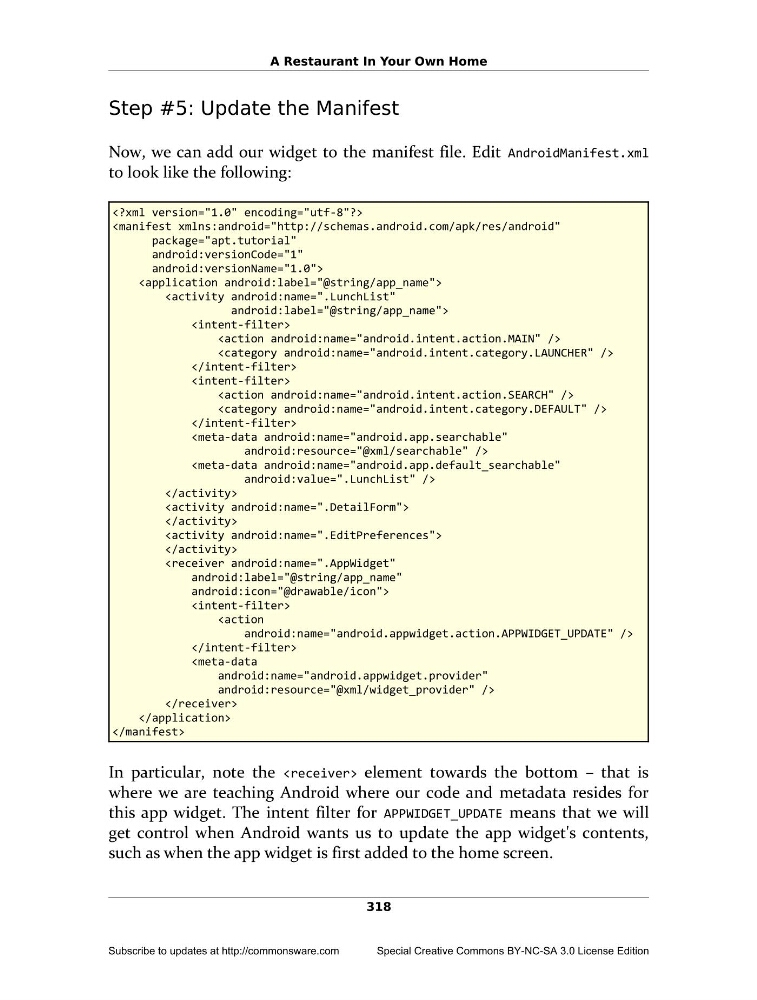
Now, we can add our widget to the manifest file. Edit AndroidManifest.xml
to look like the following:
android:versionCode="1"
android:versionName="1.0">
android:icon="@drawable/icon">
android:resource="@xml/widget_provider" />
In particular, note the element towards the bottom – that is
where we are teaching Android where our code and metadata resides for
this app widget. The intent filter for APPWIDGET_UPDATE means that we will
get control when Android wants us to update the app widget's contents,
such as when the app widget is first added to the home screen.
318
Subscribe to updates at http://commonsware.com
Special Creative Commons BY-NC-SA 3.0 License Edition
Step #5: Update the Manifest
Now, we can add our widget to the manifest file. Edit AndroidManifest.xml
to look like the following:
android:versionCode="1"
android:versionName="1.0">
android:icon="@drawable/icon">
android:resource="@xml/widget_provider" />
In particular, note the
where we are teaching Android where our code and metadata resides for
this app widget. The intent filter for APPWIDGET_UPDATE means that we will
get control when Android wants us to update the app widget's contents,
such as when the app widget is first added to the home screen.
318
Subscribe to updates at http://commonsware.com
Special Creative Commons BY-NC-SA 3.0 License Edition