

Searching For Food
Step #2: Integrate the Search in the Application
Now we need to tell Android that this application is searchable and how to
do the search.
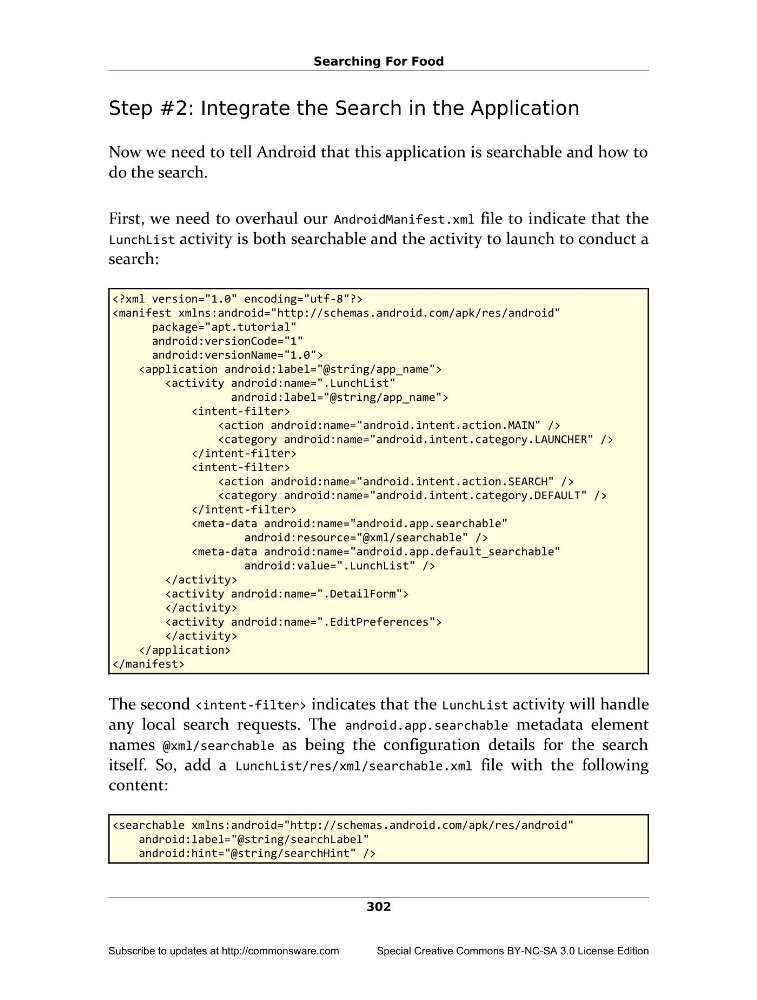
First, we need to overhaul our AndroidManifest.xml file to indicate that the
LunchList activity is both searchable and the activity to launch to conduct a
search:
android:versionCode="1"
android:versionName="1.0">
The second indicates that the LunchList activity will handle
any local search requests. The android.app.searchable metadata element
names @xml/searchable as being the configuration details for the search
itself. So, add a LunchList/res/xml/searchable.xml file with the following
content:
android:hint="@string/searchHint" />
302
Subscribe to updates at http://commonsware.com
Special Creative Commons BY-NC-SA 3.0 License Edition
Step #2: Integrate the Search in the Application
Now we need to tell Android that this application is searchable and how to
do the search.
First, we need to overhaul our AndroidManifest.xml file to indicate that the
LunchList activity is both searchable and the activity to launch to conduct a
search:
android:versionCode="1"
android:versionName="1.0">
The second
any local search requests. The android.app.searchable metadata element
names @xml/searchable as being the configuration details for the search
itself. So, add a LunchList/res/xml/searchable.xml file with the following
content:
android:hint="@string/searchHint" />
302
Subscribe to updates at http://commonsware.com
Special Creative Commons BY-NC-SA 3.0 License Edition