

A Few Good Resources
Step #2: Create a Landscape Layout
In the emulator, with LunchList running and showing the details form, press
-. This simulates opening and closing the keyboard, causing the
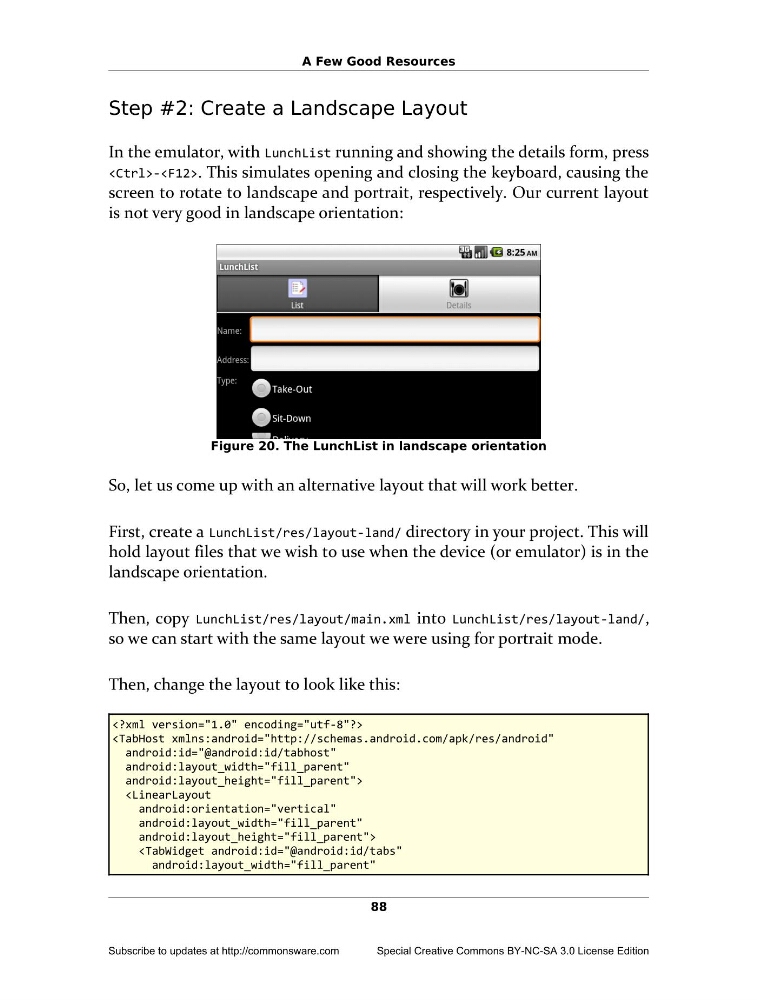
screen to rotate to landscape and portrait, respectively. Our current layout
is not very good in landscape orientation:
Figure 20. The LunchList in landscape orientation
So, let us come up with an alternative layout that will work better.
First, create a LunchList/res/layout-land/ directory in your project. This will
hold layout files that we wish to use when the device (or emulator) is in the
landscape orientation.
Then, copy LunchList/res/layout/main.xml into LunchList/res/layout-land/,
so we can start with the same layout we were using for portrait mode.
Then, change the layout to look like this:
android:layout_width="fill_parent"
android:layout_height="fill_parent">
android:layout_width="fill_parent"
android:layout_height="fill_parent">
88
Subscribe to updates at http://commonsware.com
Special Creative Commons BY-NC-SA 3.0 License Edition
Step #2: Create a Landscape Layout
In the emulator, with LunchList running and showing the details form, press
screen to rotate to landscape and portrait, respectively. Our current layout
is not very good in landscape orientation:
Figure 20. The LunchList in landscape orientation
So, let us come up with an alternative layout that will work better.
First, create a LunchList/res/layout-land/ directory in your project. This will
hold layout files that we wish to use when the device (or emulator) is in the
landscape orientation.
Then, copy LunchList/res/layout/main.xml into LunchList/res/layout-land/,
so we can start with the same layout we were using for portrait mode.
Then, change the layout to look like this:
android:layout_width="fill_parent"
android:layout_height="fill_parent">
android:layout_width="fill_parent"
android:layout_height="fill_parent">
88
Subscribe to updates at http://commonsware.com
Special Creative Commons BY-NC-SA 3.0 License Edition