

32
4.7
A Bit of Photoshop…
Photos and illustrations are usually introduced for their educational value. This does
not imply they do not have to be pleasing to the eye. Here is some advice:
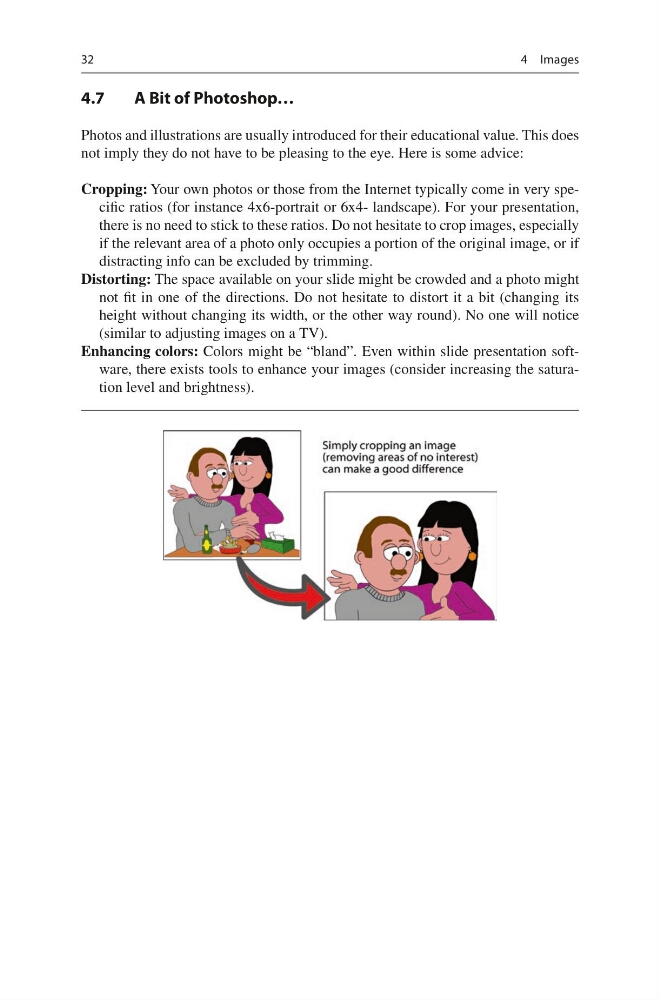
Cropping: Your own photos or those from the Internet typically come in very specific ratios (for instance 4x6-portrait or 6x4- landscape). For your presentation,
there is no need to stick to these ratios. Do not hesitate to crop images, especially
if the relevant area of a photo only occupies a portion of the original image, or if
distracting info can be excluded by trimming.
Distorting: The space available on your slide might be crowded and a photo might
not fit in one of the directions. Do not hesitate to distort it a bit (changing its
height without changing its width, or the other way round). No one will notice
(similar to adjusting images on a TV).
Enhancing colors: Colors might be “bland”. Even within slide presentation software, there exists tools to enhance your images (consider increasing the saturation level and brightness).
4 Images
4.7
A Bit of Photoshop…
Photos and illustrations are usually introduced for their educational value. This does
not imply they do not have to be pleasing to the eye. Here is some advice:
Cropping: Your own photos or those from the Internet typically come in very specific ratios (for instance 4x6-portrait or 6x4- landscape). For your presentation,
there is no need to stick to these ratios. Do not hesitate to crop images, especially
if the relevant area of a photo only occupies a portion of the original image, or if
distracting info can be excluded by trimming.
Distorting: The space available on your slide might be crowded and a photo might
not fit in one of the directions. Do not hesitate to distort it a bit (changing its
height without changing its width, or the other way round). No one will notice
(similar to adjusting images on a TV).
Enhancing colors: Colors might be “bland”. Even within slide presentation software, there exists tools to enhance your images (consider increasing the saturation level and brightness).
4 Images