

14
2.9
Slides Reviewed for Approval?
Presentations from government employees are typically filled with text. Why? They
have to go through layers of approvals, by officials who might not have a clue about
the presentation topic. Reviewers would be at a loss with just a bunch of images and
graphics. Unfortunately, this results in bad slide presentations.
If you have to deal with such constraints, what could you possibly do to enhance
the quality of your presentation?
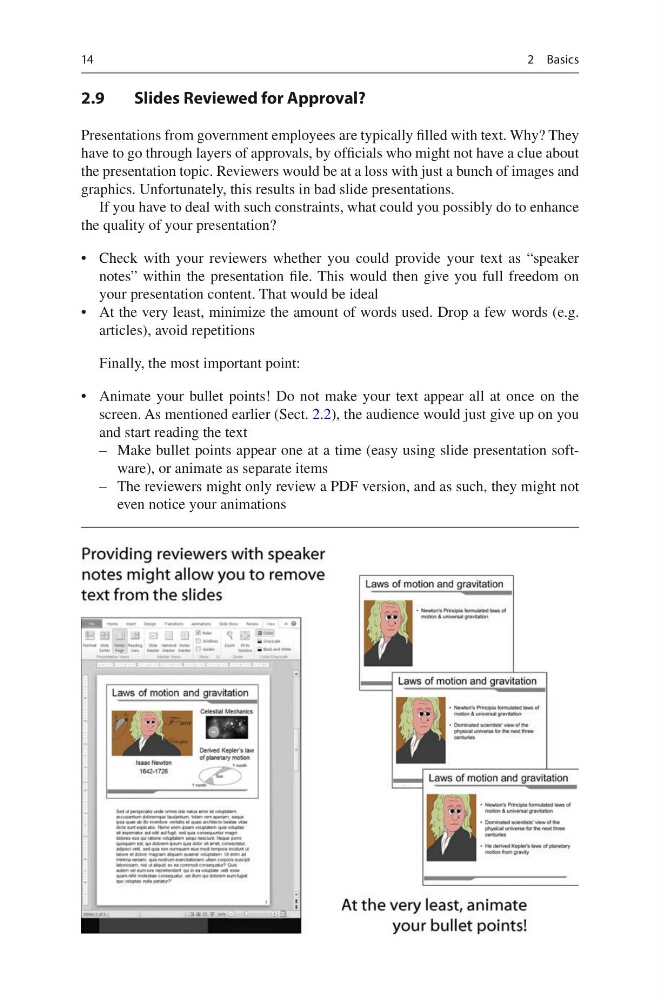
• Check with your reviewers whether you could provide your text as “speaker
notes” within the presentation file. This would then give you full freedom on
your presentation content. That would be ideal
• At the very least, minimize the amount of words used. Drop a few words (e.g.
articles), avoid repetitions
Finally, the most important point:
• Animate your bullet points! Do not make your text appear all at once on the
screen. As mentioned earlier (Sect. 2.2), the audience would just give up on you
and start reading the text
– Make bullet points appear one at a time (easy using slide presentation software), or animate as separate items
– The reviewers might only review a PDF version, and as such, they might not
even notice your animations
2 Basics
2.9
Slides Reviewed for Approval?
Presentations from government employees are typically filled with text. Why? They
have to go through layers of approvals, by officials who might not have a clue about
the presentation topic. Reviewers would be at a loss with just a bunch of images and
graphics. Unfortunately, this results in bad slide presentations.
If you have to deal with such constraints, what could you possibly do to enhance
the quality of your presentation?
• Check with your reviewers whether you could provide your text as “speaker
notes” within the presentation file. This would then give you full freedom on
your presentation content. That would be ideal
• At the very least, minimize the amount of words used. Drop a few words (e.g.
articles), avoid repetitions
Finally, the most important point:
• Animate your bullet points! Do not make your text appear all at once on the
screen. As mentioned earlier (Sect. 2.2), the audience would just give up on you
and start reading the text
– Make bullet points appear one at a time (easy using slide presentation software), or animate as separate items
– The reviewers might only review a PDF version, and as such, they might not
even notice your animations
2 Basics