

10
2.5
Choose a White Background
As mentioned in Sect. 2.4, you do not need to use a template all the time. But very
often, a template will be dictated to you. Hopefully, the template provided to you
features a white background. If not, try influencing whoever in your organization
provides the template to go for a white background. Or modify it yourself to achieve
that goal. And if you have the luxury of selecting your own template, once again, go
for a white background. But why?
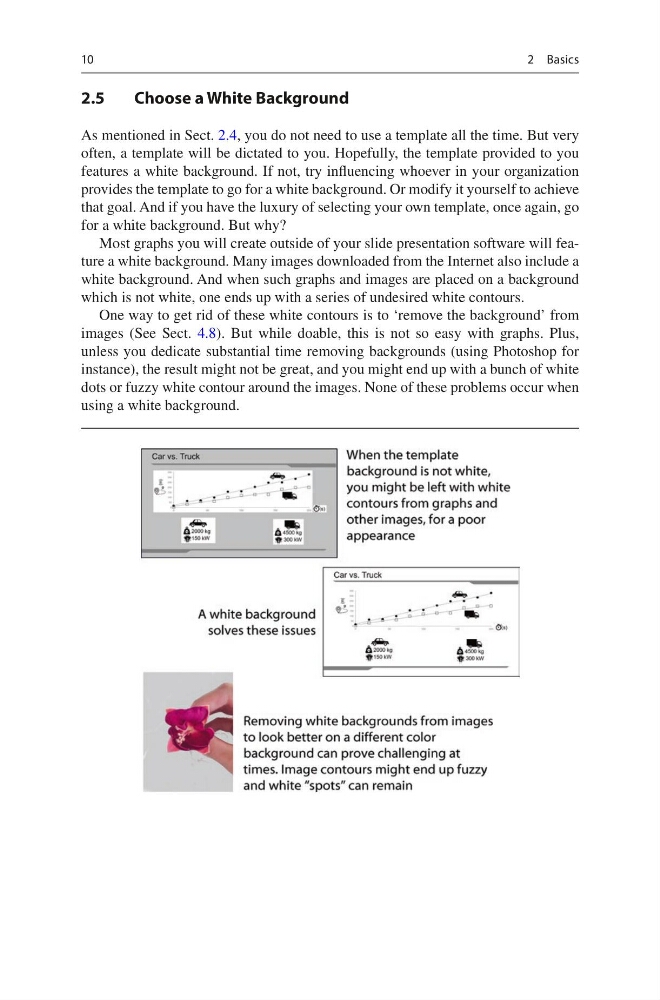
Most graphs you will create outside of your slide presentation software will feature a white background. Many images downloaded from the Internet also include a
white background. And when such graphs and images are placed on a background
which is not white, one ends up with a series of undesired white contours.
One way to get rid of these white contours is to ‘remove the background’ from
images (See Sect. 4.8). But while doable, this is not so easy with graphs. Plus,
unless you dedicate substantial time removing backgrounds (using Photoshop for
instance), the result might not be great, and you might end up with a bunch of white
dots or fuzzy white contour around the images. None of these problems occur when
using a white background.
2 Basics
2.5
Choose a White Background
As mentioned in Sect. 2.4, you do not need to use a template all the time. But very
often, a template will be dictated to you. Hopefully, the template provided to you
features a white background. If not, try influencing whoever in your organization
provides the template to go for a white background. Or modify it yourself to achieve
that goal. And if you have the luxury of selecting your own template, once again, go
for a white background. But why?
Most graphs you will create outside of your slide presentation software will feature a white background. Many images downloaded from the Internet also include a
white background. And when such graphs and images are placed on a background
which is not white, one ends up with a series of undesired white contours.
One way to get rid of these white contours is to ‘remove the background’ from
images (See Sect. 4.8). But while doable, this is not so easy with graphs. Plus,
unless you dedicate substantial time removing backgrounds (using Photoshop for
instance), the result might not be great, and you might end up with a bunch of white
dots or fuzzy white contour around the images. None of these problems occur when
using a white background.
2 Basics