

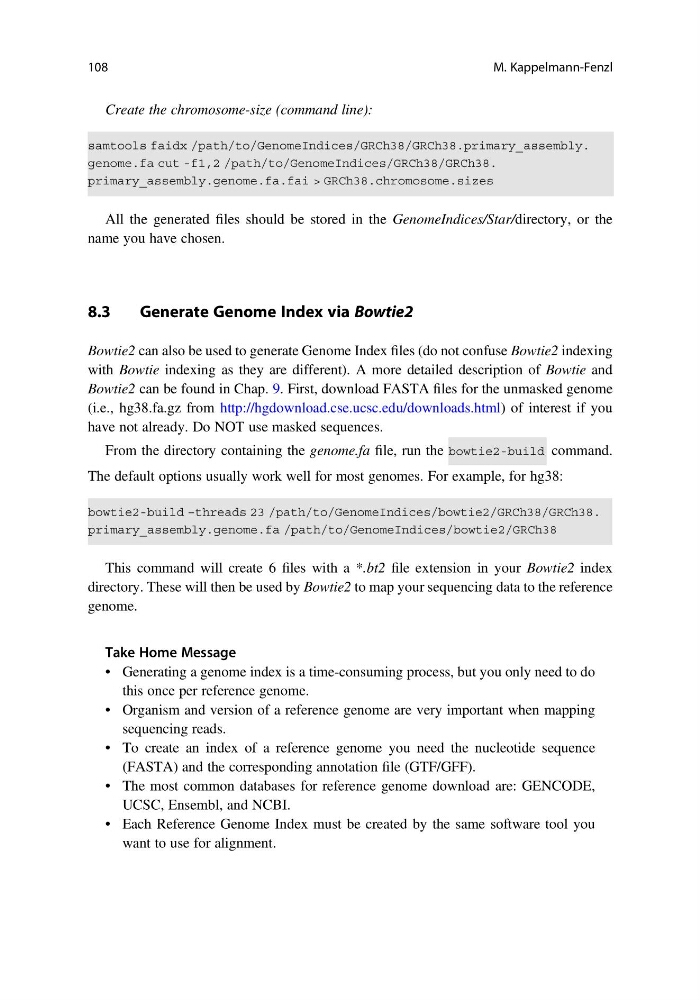
Create the chromosome-size (command line):
All the generated files should be stored in the GenomeIndices/Star/directory, or the
name you have chosen.
8.3
Generate Genome Index via Bowtie2
Bowtie2 can also be used to generate Genome Index files (do not confuse Bowtie2 indexing
with Bowtie indexing as they are different). A more detailed description of Bowtie and
Bowtie2 can be found in Chap. 9. First, download FASTA files for the unmasked genome
(i.e., hg38.fa.gz from http://hgdownload.cse.ucsc.edu/downloads.html) of interest if you
have not already. Do NOT use masked sequences.
From the directory containing the genome.fa file, run the
command.
The default options usually work well for most genomes. For example, for hg38:
This command will create 6 files with a *.bt2 file extension in your Bowtie2 index
directory. These will then be used by Bowtie2 to map your sequencing data to the reference
genome.
Take Home Message
• Generating a genome index is a time-consuming process, but you only need to do
this once per reference genome.
• Organism and version of a reference genome are very important when mapping
sequencing reads.
• To create an index of a reference genome you need the nucleotide sequence
(FASTA) and the corresponding annotation file (GTF/GFF).
• The most common databases for reference genome download are: GENCODE,
UCSC, Ensembl, and NCBI.
• Each Reference Genome Index must be created by the same software tool you
want to use for alignment.
108
M. Kappelmann-Fenzl
All the generated files should be stored in the GenomeIndices/Star/directory, or the
name you have chosen.
8.3
Generate Genome Index via Bowtie2
Bowtie2 can also be used to generate Genome Index files (do not confuse Bowtie2 indexing
with Bowtie indexing as they are different). A more detailed description of Bowtie and
Bowtie2 can be found in Chap. 9. First, download FASTA files for the unmasked genome
(i.e., hg38.fa.gz from http://hgdownload.cse.ucsc.edu/downloads.html) of interest if you
have not already. Do NOT use masked sequences.
From the directory containing the genome.fa file, run the
command.
The default options usually work well for most genomes. For example, for hg38:
This command will create 6 files with a *.bt2 file extension in your Bowtie2 index
directory. These will then be used by Bowtie2 to map your sequencing data to the reference
genome.
Take Home Message
• Generating a genome index is a time-consuming process, but you only need to do
this once per reference genome.
• Organism and version of a reference genome are very important when mapping
sequencing reads.
• To create an index of a reference genome you need the nucleotide sequence
(FASTA) and the corresponding annotation file (GTF/GFF).
• The most common databases for reference genome download are: GENCODE,
UCSC, Ensembl, and NCBI.
• Each Reference Genome Index must be created by the same software tool you
want to use for alignment.
108
M. Kappelmann-Fenzl